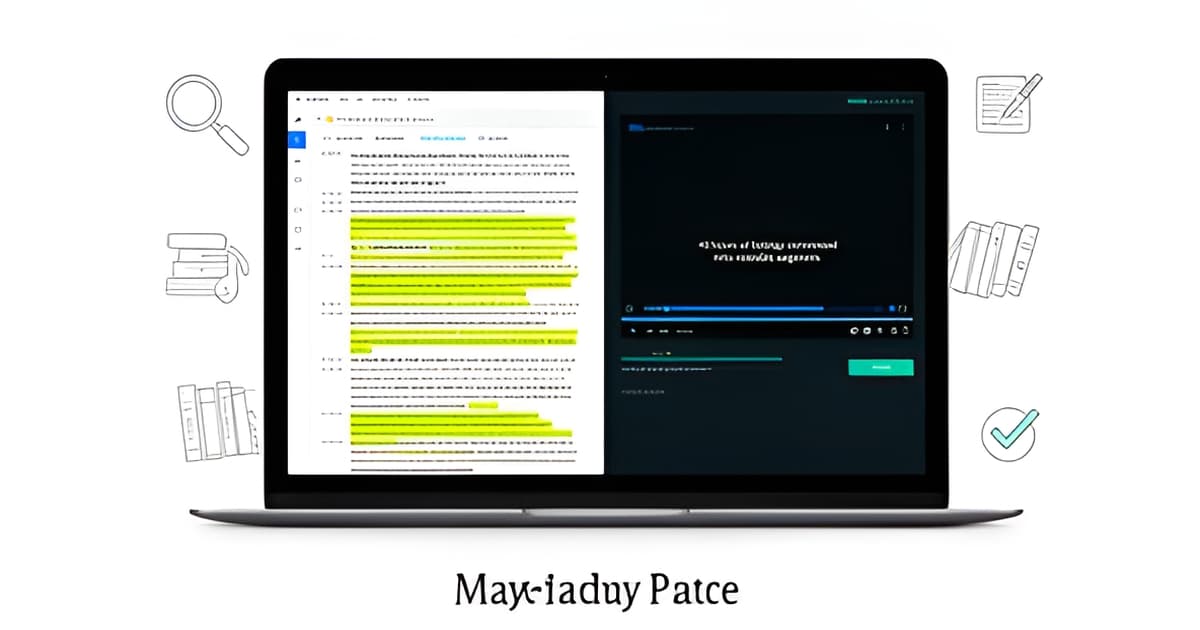
You've been there. The discovery dump lands on a Friday: 40 hours of bodycam across six officers, two dashcam channels, an interview-room recording, three jail calls, a 911 recording, and a stack of scanned PDFs. The preliminary hearing is in twelve days. Nobody is coming to help you watch it. The traditional answer is a media player, a legal pad, and a very long weekend. There's a better sequence, and it starts with transcripts, not playback.
Key points
- Most defenders review bodycam by scrubbing a media player with a notes file open; a transcript-first workflow cuts that dramatically and catches inconsistencies scrubbing never will.
- Diarized, word-level timestamped transcripts are the foundation; without speaker labels and per-word timing, you can't quote or clip anything reliably.
- Auto-signals compare each new file against earlier evidence and surface candidate inconsistencies (report vs. bodycam, statement vs. jail call) before anyone asks.
- Every AI output needs a citation to the exact video second or PDF page, plus a human-review marker; anything less isn't usable in a defense workflow.
- Frame-accurate redaction, multi-camera sync, and exhibit-pack exports close the loop from review to hearing.
Get every file into one case workspace before you analyze anything. That means the bodycam files, the interrogation video, the jail calls, the 911 audio, the police reports, the photos, the scanned receipts. If your tool supports it, email the files straight into the case; a per-case inbound address means an investigator in the field can forward evidence from their phone without a login ceremony. Two rules matter here. First, originals must be immutable. Any redaction or clip you make later should be a new derived file, never an overwrite, and every action should show up in an audit log. You will eventually need to explain to a court, a prosecutor, or your own supervisor exactly what was done to which file and when. Second, don't pre-sort. Upload the ugly stuff too, including the files with names like X13qrt9__x3455. Axon's naming convention is a known pain for defenders, and the tool should handle whatever the agency's export software spat out.
The single biggest workflow change is reviewing the transcript before you watch the video. You want transcription with speaker diarization and word-level timestamps, so every line carries a speaker label and a clock reference. Deepgram's Nova engine does this well, including on noisy bodycam audio with wind, sirens, and overlapping voices. Once you have a diarized transcript, fix the speakers. Renaming "Speaker 1" to "Ofc. Ramsey" should propagate across every segment in the case, so you're not re-labeling the same voice forty times. Then read. Reading a 40-hour dump takes an evening. Watching it takes two weeks. A word of caution from hard experience: generic transcription tools miss specialized legal and law-enforcement vocabulary, and some legal-specific competitors have documented transcription-quality complaints. Whatever you use, spot-check the transcript against the audio on the passages that matter most. A misheard word in an interrogation can flip a Miranda argument.
Here's where the real work of defense review lives: the gap between what the report says and what the camera shows. The classic examples are everywhere. The report says the defendant was "agitated and uncooperative" while the bodycam shows him calm and answering questions. The report describes a consent search; the audio has the officer saying "we're going to take a look around, okay?" and no answer. The statement summary in the police report paraphrases a jail call in a way the raw audio doesn't support. Manually finding these means cross-referencing every document against every media file yourself. A grounded evidence tool can do the first pass for you: on ingest, it compares each new file against everything already in the case and files candidate inconsistencies as review signals before anyone asks. A report-vs-bodycam mismatch, a statement-vs-call-audio discrepancy. These are suggestions, clearly marked as unreviewed, and you confirm or dismiss each one. The machine doesn't make the call. It hands you the shortlist. This matters because scrubbing playback will never surface a mismatch between page 14 of a scanned PDF and minute 87 of a bodycam file. You'd have to remember both. The comparison does the remembering for you.
Once everything is transcribed and OCR'd (scanned PDFs and photo evidence like receipts and screenshots should become searchable text too), you can interrogate the case the way you'd interrogate a well-prepared law clerk. When did the officer first mention a warrant? Which jail calls mention the alleged co-defendant? What exactly did the client say in the interrogation after the second Miranda warning? The non-negotiable requirement: every answer must cite the exact source moment. Not "the bodycam shows" but a clickable link to the second of video, or the page of the PDF. If an AI answer can't take you back to the frame, you can't use it, and neither can your investigator. Any tool you adopt should mark every AI output as AI-generated and pending human review, and should never make legal conclusions. You make the legal conclusions. That's the entire job. This is also where the free DIY stack falls apart. Local Whisper plus NotebookLM works on a single short file. At case scale you lose diarization quality control, you get no citations, no redaction, and no audit trail. The failure mode is quiet: it doesn't crash, it just produces confident text you can't verify.
With a grounded transcript base, the downstream tasks get much faster: Cross-exam prep. From a confirmed inconsistency signal with both sides quoted, generate suggested cross questions, each tied to a quoted source. Questions only, no credibility conclusions; those are attorney work. Save them as review notes and edit ruthlessly. Suppression outline. A Miranda Timeline playbook can lay out the custodial interrogation chronologically: when custody began, when warnings were given, what was said in between. A Suppression Motion Prep playbook sweeps consent, search scope, stop duration, K-9, and Miranda issues and drafts a motion outline with both sides quoted and cited. Multi-camera events. If you have bodycam plus dashcam plus the interview room covering one incident, sync them to a single master clock. Good tools propose the sync from word-timing correlation and show you the match evidence (something like "31 word matches, ±0.2 s spread") before you accept it. Never auto-applied. Redaction for turnover and exhibits. Frame-accurate video redaction where you drag a rectangle, word-level audio redaction where you mute the exact spoken span, plus image and PDF redaction. AI can suggest regions like bystander faces and license plates, but those should file as suggestion cards marked "AI-suggested, needs review." Nothing auto-applies. Originals stay untouched. Exports. When it's time for the hearing, an exhibit pack with video clips, still frames, quoted excerpts, and a MANIFEST.md citation index means the person presenting isn't hunting through 40 hours at the podium.
Pricing opacity is a fair complaint about this category, so here are real numbers. Evidence Copilot publishes its pricing with no sales wall: Solo at $39/user/month with 15 media-processing hours included, Firm at $99/user/month with 60 hours, and a PD Office tier at $750/attorney/year with 100 hours. For comparison, JusticeText runs roughly $1,200 per attorney per year, which makes the PD tier about 38% cheaper. Overage is metered and hard-capped at 3x included hours, so a runaway intake month can't produce a runaway invoice. Every plan includes the full workspace; there are no feature tiers holding redaction hostage. There's a 7-day full-access trial with no card, and a 14-day money-back guarantee on every paid plan.
Forty hours of bodycam doesn't have to mean two weeks in a media player. Ingest once, transcribe everything with diarization and word-level timestamps, let inconsistency signals do the first-pass comparison between the report and the footage, and then work from a transcript where every claim carries a citation to the exact second. Your judgment still does the lawyering. The workflow just makes sure you're arguing from what the evidence actually says instead of what the report summarized. If you want to see the sequence end to end, book a 20-minute walkthrough at evidencecopilot.com/book, or start on the Solo plan at evidencecopilot.com/signup.